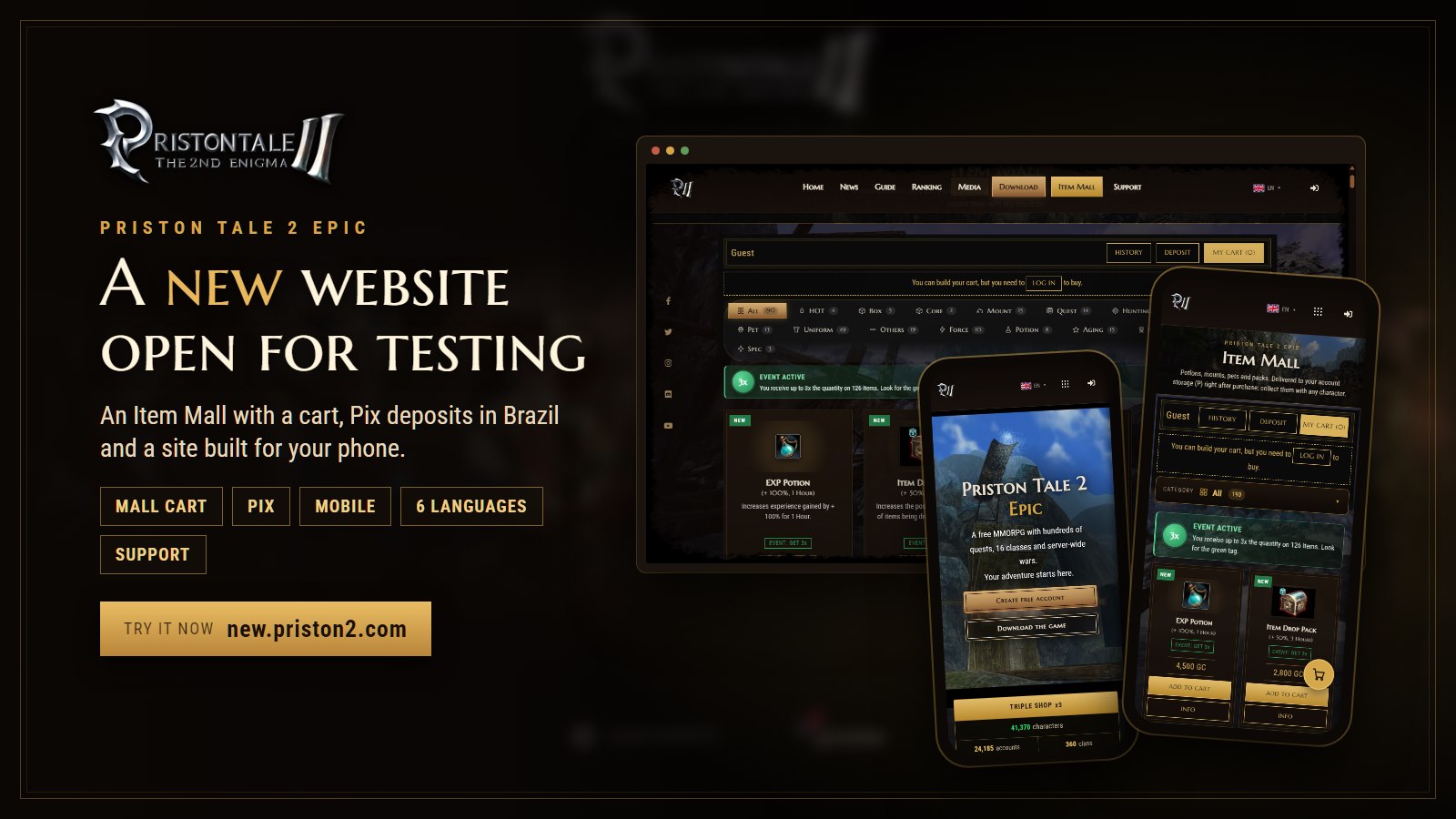
An Item Mall with a cart, Pix deposits, pages built for your phone and six languages. For the next 10 days it lives at new.priston2.com so you can try it and tell us what you think.
If you have ever bought a stack of potions in the Item Mall, you know the routine: pick one item, confirm, read the receipt, go back to the list, repeat. On the new website that is over. Put everything in a cart, check the total and how much GC you will have left, and confirm once.
The new Priston Tale 2 website is live at new.priston2.com. It stays at that address for 10 days, and after that it replaces the old site at the official address. Before we make the switch for good, we want you to test it and tell us what works and what still gets in your way.
Item Mall: build a cart, buy in one go
- Add as many items as you like. The cart button follows you down the page and shows how many items are in it.
- Inside My Cart you can change quantities, remove items and see your remaining balance before you confirm. Short on GC? The cart takes you straight to Deposit.
- Items are sorted into 16 categories such as Potion, Mount, Pet, Uniform, Aging and Force, each with its item count. On your phone, categories turn into a drop-down list.
- Every item shows its in-game icon, a short summary and its price in GC. INFO opens the full description and the minimum level to use it.
- When there is a Mall event, a banner at the top tells you how many items are included, and each one gets a green tag. Right now, with Triple Shop, 126 items carry “EVENT: GET 3x”.
- Want to treat a friend? Type their character name in the gift field of the cart. HISTORY lists everything you have bought.
- Items still go to your account storage (P), and any of your characters can collect them.
Try it in a minute: open the EXP Potion (+ 100%, 1 Hour) in the Item Mall and tap ADD TO CART twice. Open My Cart: you will see the 9,000 GC total, the balance you would have left and the gift field. You can build a cart without logging in, and nothing is charged until you tap Confirm purchase.
Pix deposits for players in Brazil
You can now add GC with Pix. In the Item Mall tap DEPOSIT (or go to My account and pick Add GC). Choose a package, accept the terms and select Pix. The site shows a QR code and a copy-and-paste Pix code that you pay in any Brazilian banking app. The page keeps track of the payment on its own and tells you when the GC lands in your account, no receipt needed. The code is valid for one hour; after that, just create a new one.
One more thing: the first deposit on every account gets 10% off, applied automatically. PayPal is still available for players outside Brazil.
Made for your phone
Open the site on your phone and look around. The whole menu sits behind one button at the top. Server numbers (characters, accounts, clans, max level, EXP rate, client version and server time) are laid out in an easy-to-read grid. Rankings show only the columns that fit, support tickets turn into cards and the Item Mall has a floating cart. The main pages work without sideways scrolling.
Pick your language
Use the flag in the top-right corner to switch between English, Português, Español, Deutsch, Français and Türkçe, and the site remembers your choice. Menus, the home page, Item Mall, Deposit, Register, Log in, My account, Support and Ranking all follow the language you pick. On any news post, the Translate button shows the text in any of the six languages.
Game guides and item names are still in English, and this is where you can help the most. Spotted an odd translation, a term the community says differently, or a line that was left untranslated? Send it to us with the page link and the language.
Support that gets to the point
The Support button sits in the corner of every page. When you open a New ticket, you first choose what it is about (Account & login, Payment & GC, Game & bugs, Items & characters, Report a player or Other) and then describe the problem, with tips on what to include. You can attach a JPG or PNG screenshot of up to 3 MB right in the ticket, no outside link needed.
You can filter your tickets by status, and staff replies carry the SUPPORT TEAM badge. If you closed a ticket and the problem came back, you can reopen it within 30 days.
On our side, the staff panel now shows which tickets are waiting for an answer and for how many days, and opens the character sheet straight from the ticket. That makes it easier to reach the people who have waited longest first, and to answer already knowing which character is involved.
Your account in one place
My account is now organised in tabs: Summary, History, Change password and Change e-mail. Summary shows your characters, your last game login, your GC balance, your deposits and your Item Mall purchases. If your account has no secret question yet, the site asks you to set one; it will be required to change your password or e-mail. If the account e-mail is ever changed, you get a notice. Password fields also got an eye icon to show what you typed.
More to explore
- Database with 2,735 items, monsters and seals, plus pages for all 16 classes and their skills.
- Character profiles with equipment laid out in a grid.
- Clan and player rankings with filters and 30-day activity.
- Events calendar and news you can like.
Test it and tell us
Open new.priston2.com on your PC or phone, do what you usually do on the site and tell us how it went. On our Discord, send us:
- the page link;
- the language you were using;
- a screenshot, if you can.
And stay tuned: there is news coming inside the game soon, too. See you in Priston!
Equipe Priston Tale 2